Navigation Pro: Maps on Watch
- 4.6
- Rating
- 1.00M
- Installs
- $2.99
- Price

 Analysis by App-foxy
I like navigation tools that reduce the number of times I have to pull out my phone, and Navigation Pro: Maps on Watch is built around exactly that idea. It is a paid Maps & Navigation app from Smartwatch Studios that puts route guidance on a compatible smartwatch while the phone stays in a pocket or bag. That sounds simple, but it changes how useful the app feels in everyday situations: walking through an unfamiliar neighborhood, cycling with both hands occupied, or checking a turn without stopping in the middle of a busy pavement.
After spending time with it, my view is that this is a focused companion rather than a complete replacement for a conventional phone navigation app. Its appeal depends heavily on already owning a supported watch and being comfortable using a smaller display. When that setup suits you, Navigation Pro: Maps on Watch can make short trips feel less distracting. When you need broad map context, detailed planning, or a totally independent navigation device, the usual phone-based alternatives remain more practical.
What the watch-first approach feels like in daily use
The most noticeable difference is not a dramatic new mapping system; it is the change in attention. Instead of holding a phone at chest height, I can glance at my wrist and keep moving. That matters more than I expected on foot. A phone is easy to consult, but taking it out repeatedly can be awkward near traffic, in rain, while carrying shopping, or when I am trying not to look like I am lost in an unfamiliar place.
You May Also Like

 Blood Strike: 2.5 Anniversary
Blood Strike’s Loadouts Turn Every Drop Into a Tactical Gamble
A close look at Blood Strike’s custom loadouts: how fast access to signature weapons reshapes its battle royale rhythm, rewards preparation, and narrows the gap between fights.

 Pandora - Music & Podcasts
Pandora’s Music Is Easy to Start, but Harder to Recover
Pandora’s strength is its low-effort path from a seed to a station. Its weak spot is how much confidence it asks you to place in connection, setup, and quiet recovery.

 8 Ball Pool
 Is Built on Rivalries, Rematches, and Routine
A close look at the rivalries, rematches, shared routines, and unanswered safety questions that turn a quick pool match into a persistent mobile community.

 Samsung Music
’s Quiet Strength Is Playing What You Already Own
Its reach comes less from spectacle than from dependable access to a personal library. That simplicity is both the app’s strongest retention engine and its ceiling.

 AccuWeather: Weather Radar
AccuWeather Review: A Quick, Clear Forecast for Everyday Decisions
For everyday plans, the best forecast is the one you can understand quickly. AccuWeather makes rain timing, radar, and local conditions easy to act on, with a few trade-offs.

 Hill Climb Racing
Why Hill Climb Racing Still Turns Crashes Into One More Run
A tiny car, a bumpy hill and one more upgrade: Hill Climb Racing keeps resurfacing because its simple chaos makes every near-miss feel personal.
More From Our News Desk
View All News


The app is best understood as a second screen for navigation. The phone remains part of the overall setup, while the watch becomes the place where I check guidance. This makes the experience feel lighter than opening a full map application every few minutes. It also means the app should not be judged by the same standard as a large phone display. A watch face cannot show as much surrounding information, so the benefit comes from quick orientation rather than detailed exploration.
For a normal walk across town, I find the format particularly natural. I can start a route on the phone, put the phone away, and use the watch for the moments that matter: confirming the next direction, checking whether I should continue along the current street, and making sure I have not missed a turn. The reduced screen area encourages me to focus on the immediate decision instead of constantly studying the entire route.
That narrow focus is also the first important trade-off. If I am deciding between several roads, looking for a specific business, or trying to understand a complicated interchange, I would rather use a phone. The watch view is convenient for following a decision that has already been made, not for replacing every part of the planning process.
Speed expectations before you depend on it
Perceived speed here comes from the short interaction loop. A glance at the wrist is faster than unlocking a phone, finding the navigation app, and orienting the map again. In that sense, the app feels responsive to the problem it is designed to solve. I do not need a long session with it to benefit from it; a few brief checks during a journey are enough.
There is an important distinction between fast access and fast route calculation. The watch is a compact display, not a guarantee that every navigation task will be processed independently on the wrist. I would begin a journey with the phone connection and watch setup ready, rather than assuming I could improvise everything after leaving home. This small habit removes much of the uncertainty that comes from starting a route at the worst possible moment.
For the smoothest experience, I would prepare the destination before walking away and give the route a moment to appear on the watch. That is especially sensible when leaving a building, where the first direction can be confusing and the phone may still be settling on a position. A quick check at the beginning is more useful than discovering halfway down the street that the route is not being shown as expected.
I also recommend treating the watch display as a prompt, not as a map to stare at continuously. The app’s strength is quick confirmation. Looking only when approaching a decision keeps the interaction efficient and avoids turning a simple walk into a constant screen-checking exercise.
How it behaves during heavier navigation moments
The demanding moments are not necessarily long journeys. They are situations with frequent changes: dense city blocks, a route with several closely spaced turns, or a trip where I repeatedly stop and resume. These conditions test how comfortable the watch interface is more than they test raw processing power. A small display can make a sequence of directions feel mentally busy even when the app itself is functioning normally.
In a dense area, I would slow down slightly before each turn and give myself time to interpret the next instruction. That is not a criticism unique to this app; it is the unavoidable cost of moving navigation from a large screen to a wrist. The advantage is that I can check the route without exposing the phone, but the disadvantage is that I have less room to compare nearby streets or understand the wider layout.
Another practical use is cycling or traveling with luggage. Keeping the phone stored reduces the temptation to handle it while moving. I would still stop somewhere safe whenever the route becomes unclear. The watch is helpful for a quick glance, but it should not encourage anyone to read a small screen while crossing roads or riding through complicated traffic.
Long outings create a different kind of pressure. They involve more repeated screen checks and make the overall phone-and-watch relationship more important. Before setting off, I would make sure both devices have enough charge and that the watch is comfortably connected. Navigation is one of those tasks where a setup that feels effortless for a short errand can become inconvenient over several hours.
For a short commute, the app feels appropriately lightweight. For a full day of exploring, I would use it as a supplement and keep the phone available for route changes, searching, and broader orientation. That division of labor is more realistic than expecting a wrist display to handle every navigation decision.
Reliability, recovery, and what I would do when something goes wrong
Reliability is less about never encountering friction and more about recovering without losing confidence. With a watch-based navigation system, there are several points where the experience can feel interrupted: the phone may be out of reach, the watch may need attention, or the route may need to be checked on the larger screen. I therefore prefer to start with a simple routine instead of treating the app as something I can configure while already rushing.
My routine would be to choose the destination on the phone, confirm that the route is visible on the watch, and then put the phone away. If the watch view stops being useful, I would not repeatedly tap at it while walking. I would stop safely, bring out the phone, check the route, and then continue. That recovery method is faster and safer than trying to solve uncertainty through a tiny display.
This is also where the app’s focused design helps. It does not need to replace every map function to be valuable. If the watch is showing the next useful piece of guidance, I can continue without a full-screen phone session. If I need to recover from a missed turn or rethink the destination, the phone remains the sensible fallback.
I would be cautious about confusing a stable-looking glance experience with total independence. The store summary emphasizes navigating with the watch while keeping the phone in a pocket, and that is the right expectation: the phone is out of sight, not necessarily irrelevant. Users who want navigation that works entirely away from a phone should examine their watch and platform requirements carefully before buying.
The app’s public reception suggests that many people find the concept worthwhile. It carries an average rating of 4.6 from around 12 thousand ratings, with roughly 1.5 thousand written reviews, and it has passed one million installs. Those figures do not remove the device-specific nature of the experience, but they do show that the watch-first idea has reached a substantial audience rather than being a niche experiment.
Device limits matter more than the app category suggests
Compatibility is the first question I would answer before spending money. A navigation app for a watch cannot be evaluated separately from the watch model, phone platform, connection behavior, and the way the two devices share information. Even a well-designed experience can feel disappointing if the hardware combination does not support the expected workflow.
The small screen is the most obvious limit, but it is not the only one. A watch is worn on the wrist, so viewing angle, brightness, movement, and the need to keep walking all affect readability. I would choose a route with clear landmarks and simple decisions when possible, and use the phone for complicated planning. That approach makes the watch an advantage instead of forcing it to behave like a miniature phone.
Resource demands are best judged by the overall setup rather than by the app alone. Navigation naturally involves repeated location updates and interaction between devices, so I would not plan a long trip without checking battery levels. The sensible workflow is to use the watch for brief guidance checks and avoid keeping a map open unnecessarily when I already know the next stretch of the route.
There is also a social and practical constraint. A watch glance is discreet, but it can be less expressive than showing someone a phone map. If I am helping a companion understand where we are, comparing several possible routes, or searching for a place by name, the phone remains easier. This app is aimed at personal guidance, not group trip planning.
The age rating is Everyone, which fits the straightforward navigation purpose. The price is $2.99, so the decision is relatively simple: people who regularly use a compatible smartwatch may see that as a reasonable cost for reducing phone handling, while occasional navigators may get more value from the mapping tools already available on their phone.
Who will get the most from this app?
I would recommend it first to people who already wear their watch while walking or commuting and dislike repeatedly taking out their phone. It is also a good match for users who want quick directional prompts rather than a detailed map session. The app makes the most sense when the watch is already part of the daily routine, because the convenience comes from removing a small repeated annoyance.
A realistic example is a morning walk to a new office. I can select the destination before leaving, place the phone in a bag, and use the watch to confirm each major turn. At a busy crossing, I can stop and check the next instruction without juggling the phone. Once I recognize the final streets, I may barely need to look again. That is a modest improvement, but it is exactly the kind of improvement that can make navigation feel calmer.
It can also suit travelers who want to keep a phone secure while moving through an unfamiliar area. I would still carry the phone and use it for broader checks, but the watch can reduce how often it is exposed. For cyclists and commuters, the hands-free aspect is useful, provided all detailed checks happen while stopped.
I would skip it if I do not own a compatible smartwatch, if I prefer planning every detail on one large screen, or if I need a navigation device that operates independently from a phone. I would also hesitate if my routes usually involve complicated driving decisions. A watch is not a sensible substitute for a properly positioned in-car navigation display, and this format is much better suited to quick personal orientation than demanding vehicle guidance.
How it compares with ordinary phone navigation
Standard phone navigation wins for map detail, destination search, route comparison, and recovery after a wrong turn. The larger display gives me more context and makes it easier to understand why a route is taking a particular street. If I am planning a multi-stop trip or checking alternatives, I would choose the phone without hesitation.
Navigation Pro: Maps on Watch wins on interruption cost. I can leave the phone stored and check the immediate direction with a small wrist movement. That is not a replacement for the phone’s capabilities; it is a different interaction model. The right comparison is not “which map is more complete?” but “which device do I want to consult at this moment?”
Dedicated watch navigation solutions may be preferable for someone seeking deeper independence, richer watch controls, or a broader collection of outdoor tools. On the other hand, those options can be excessive for a user who simply wants directions visible on a watch. This app’s focused purpose is an advantage when I want a straightforward companion rather than a large navigation ecosystem.
The trade-off is clear: the phone offers context, while the watch offers convenience. I would use both deliberately. Start and adjust the journey on the phone; use the watch for quick confirmation; return to the phone only when the route becomes ambiguous. That workflow gives each screen the job it handles best.
My performance verdict after using the concept as intended
Navigation Pro: Maps on Watch feels most successful when I treat it as a low-friction guidance layer. It makes short navigation checks quicker and less intrusive, and the watch-first design has a genuine everyday benefit. The experience is not about showing more information; it is about showing enough information at the right moment.
Its perceived speed comes from accessibility, not from promising that every navigation task happens independently on the watch. Its stability depends on a prepared phone-and-watch setup, and its resource demands are easiest to manage when the display is used for brief checks rather than continuous map browsing. Those are reasonable conditions, but they should shape expectations before purchase.
Smartwatch Studios has kept the idea focused, and I appreciate that focus. The app is not the choice I would make for detailed route planning, complex travel, or phone-free navigation. For a compatible watch owner who wants to keep the phone in a pocket during ordinary walks and commutes, however, it solves a specific annoyance neatly.
At $2.99, I see it as a practical purchase for frequent pedestrians, commuters, and watch users who value discreet guidance. The one-million-plus install milestone and strong 4.6 average rating make it easier to take seriously, but the final decision should still come down to hardware compatibility and personal habits. If your ideal navigation experience is a quick glance followed by confident movement, this is where Navigation Pro: Maps on Watch earns its place. If you need a complete map on your wrist or a fully independent navigator, I would keep looking.
FAQs for Navigation Pro: Maps on Watch
01What is Navigation Pro: Maps on Watch?
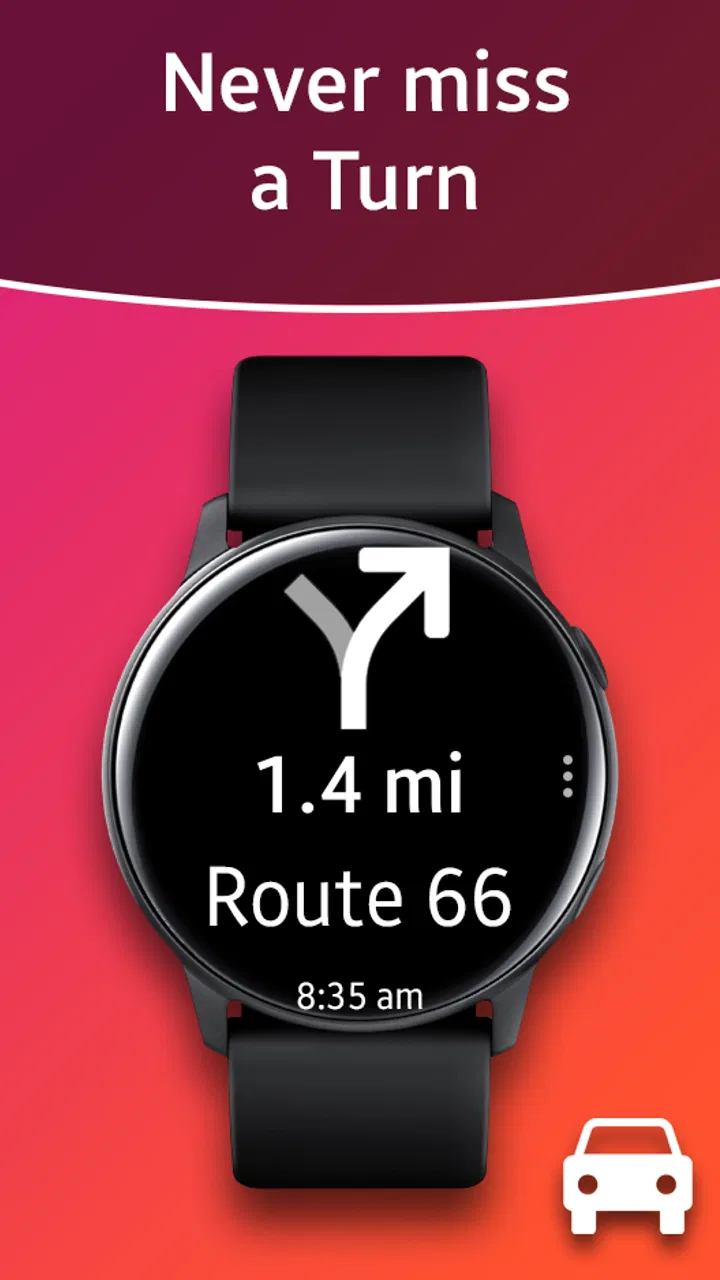
Navigation Pro: Maps on Watch is a companion app designed to display turn-by-turn navigation instructions from a connected Android phone on a compatible smartwatch. It is mainly intended for users who want to follow directions without constantly checking their phone. The watch can show upcoming turns, street information, distance, and other guidance while the route is active on the phone.
02Does Navigation Pro: Maps on Watch work without a phone or internet connection?
The app generally relies on a compatible smartphone for route planning and navigation data, so it should not be considered a completely standalone navigation solution. Your phone normally needs an active connection and access to the mapping service being used. Once navigation begins, the watch receives guidance from the phone, meaning Bluetooth connectivity, phone battery, and location services can affect reliability.
03Which smartwatches and phones are compatible with Navigation Pro?
Compatibility depends on the specific version of the app, smartwatch operating system, and phone model. Navigation Pro has primarily been associated with Android phones and supported Wear OS or Samsung smartwatch devices, but support can vary by generation and software update. Before downloading, check the current store listing and required permissions to confirm that your particular phone and watch are supported.
04What features does Navigation Pro: Maps on Watch provide?
The app focuses on transferring navigation information to your smartwatch in a convenient, glanceable format. Depending on the device and configuration, you may see turn directions, road names, distance to the next maneuver, and visual or vibration alerts. Its main advantage is reducing the need to hold your phone while walking, cycling, or driving, although the exact interface can differ between watch models.
05Is Navigation Pro: Maps on Watch free, and what permissions does it require?
Availability, pricing, and included features can vary according to the platform and current developer offerings, so users should review the official store page before installing. The app may request permissions related to notifications, Bluetooth or nearby devices, location, and background activity in order to deliver navigation alerts to the watch. Review these permissions carefully and allow only those needed for the features you plan to use.
Pros
- Works independently on supported Apple Watch models.
- Clear turn-by-turn directions with useful haptic alerts.
- Quickly checks routes without taking out your phone.
- Supports multiple map views for easier orientation.
- Helpful for walking
- cycling
- and exploring unfamiliar areas.
Cons
- Some features may require an active iPhone connection.
- Battery use can increase during long navigation sessions.
- Small watch display limits map detail and route overview.
- Coverage and accuracy depend on available map data.
- Advanced features may be locked behind in-app purchases.

Navigation Pro: Maps on Watch
Gallery